Fake Hacker Prank Software: Safe Tools, Screens & Scam Warnings
Cyberlord Security Team
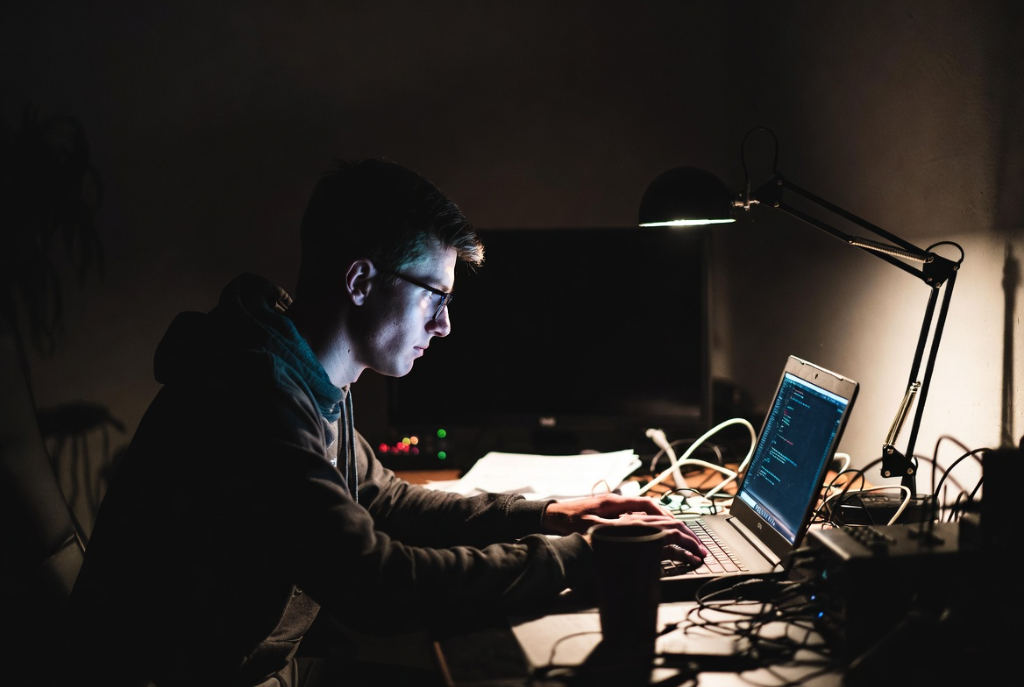
Want a fake hacking screen for a harmless joke, video, stream, or classroom demo? Use a browser-based simulator, keep it visual only, and never ask anyone for passwords, device access, money, or personal data.
This guide compares the safest fake hacker prank software, hacker typer screens, and fake hacking websites. It also shows where the joke crosses the line into intimidation, malware, or tech-support scam behavior.
Quick Answer: Best Fake Hacker Prank Tools
For a safe prank, use tools that run in the browser and only display fake code. HackerPrank.online is best for interactive dashboards, Hacker Typer is best for a simple fake terminal, and GeekTyper is best for themed movie-style hacking screens. Avoid downloadable "hacking prank" apps unless you fully trust the source.
| Tool | Best for | Safe use note |
|---|---|---|
| HackerPrank.online | Fullscreen fake hacker dashboard | Visual simulation only |
| Hacker Typer | Fast fake coding screen | No download needed |
| GeekTyper | Movie-style themed screens | Keep it as entertainment |
| CMD color trick | Offline local prank | Does not hack anything |
What is a Fake Hacker Prank?
A fake hacker prank involves using specialized websites or software that simulate a complex hacking environment. These tools are designed to look intimidating and technical to the untrained eye, often featuring:
- Scrolling Terminal Code: meaningless but impressive-looking command lines.
- Pop-up Windows: "Downloading Data," "Breaching Firewall," or "Tracing IP."
- World Maps: Visualizing fake server connections.
The goal is simple: to trick your friends, family, or colleagues into thinking you are a cybersecurity genius (or a dangerous cybercriminal) for a few laughs.
Top Fake Hacker Software & Tools
If you want to stage a prank, here are the most popular tools used by "fake hackers":
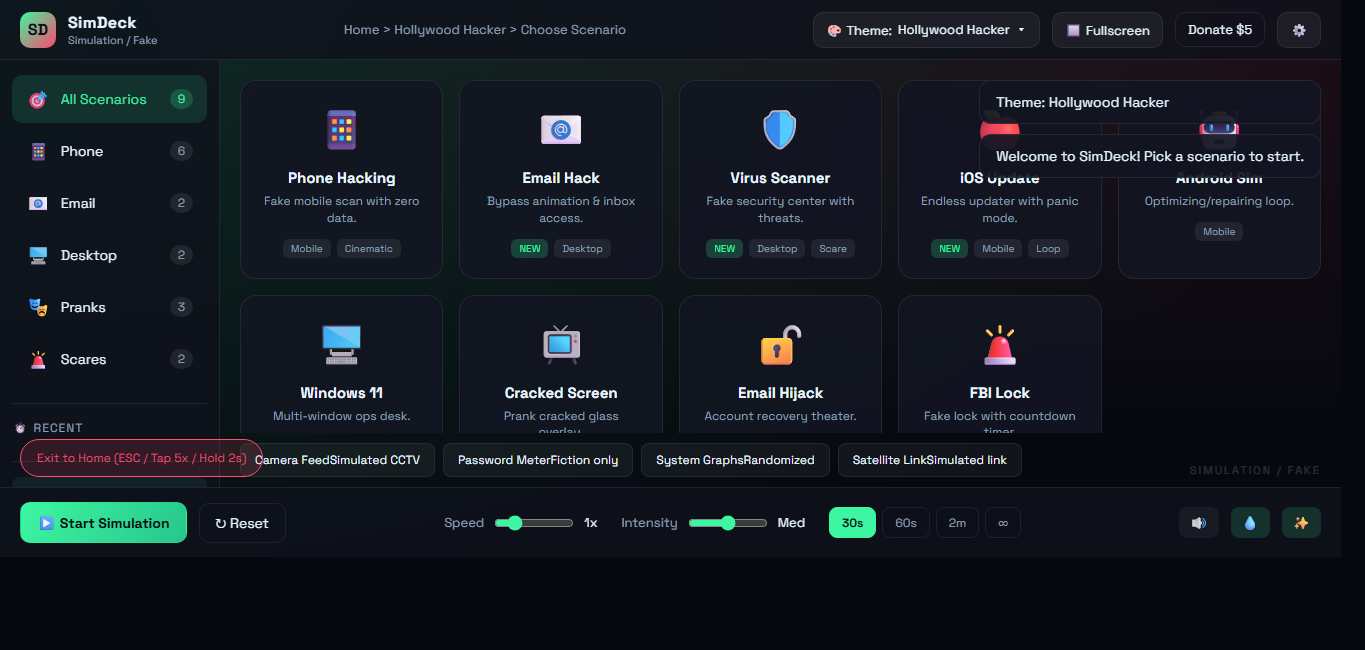
1. HackerPrank.online (SimDeck)
HackerPrank.online (SimDeck) gives you a full fake "hacker dashboard" with multiple scenarios, animated panels, and fullscreen mode. It's a great pick when you want something more interactive than a simple typer effect.
Open it here: hackerprank.online.
2. Hacker Typer
Hacker Typer is the classic choice. It provides a blank black screen. As soon as you start mashing keys on your keyboard - it doesn't matter what you type - the screen fills with realistic-looking C++ code. It's the perfect tool to open on your laptop in a coffee shop if you want to look busy and mysterious.
Try it here: hackertyper.net.
3. GeekTyper
GeekTyper takes it a step further by offering different themes. Want a generic "Biohazard" interface? A "SHIELD" style dashboard? Or a classic "Matrix" rain? GeekTyper has it all. It also includes interactive folders and pop-ups you can click to simulate executing scripts or stealing files.
4. Prank Extensions & CMD Tricks
For a more manual approach, you can use the Windows Command Prompt (CMD).
- Open CMD.
- Type
color ato turn the text green. - Type
dir /sand hit enter. - Watch as your file system directories scroll by rapidly. It looks surprisingly technical to someone who doesn't know better!
How to Pull Off the Perfect Hacker Prank
Ready to fool your friends? Follow these steps:
- Set the Scene: Dim the lights and put on a hoodie. Aesthetics matter!
- Full Screen Mode: Open HackerPrank.online, GeekTyper, or Hacker Typer and press
F11to go full screen. This hides your browser tabs and taskbar, making the interface look like a real operating system. - The "Crisis": Wait for your target to walk in. Act intense. Mutters things like, "I'm almost in..." or "Bypassing the mainframe proxy..."
- The Climax: Hit a key that triggers an "ACCESS GRANTED" or "SYSTEM BREACH" popup.
- The Reveal: Reveal the prank before they call the police!
The Dark Side: How Are Fake Hackers Using the Software?
While these tools are fun for pranks, there is a sinister side to "fake hacking." Scammers and cybercriminals often use similar psychological tactics and software interfaces to intimidate victims. This is a critical aspect of understanding modern social engineering.
1. Tech Support Scams
This is the most common malicious use of fake hacker tactics.
- The Setup: A victim visits a website and encounters a "scareware" pop-up.
- The Fake Alert: The screen might lock up (using a simple full-screen script) and display a message like: "YOUR COMPUTER IS INFECTED. HACKERS ARE STEALING YOUR DATA. CALL MICROSOFT SUPPORT IMMEDIATELY."
- The Illusion: These pop-ups often use the same visual tricks as prank sites - scrolling code, flashing red warnings, and audio alerts - to create panic.
- The Scam: When the victim calls the number, the "fake hacker" (the scammer) asks for remote access to "fix" the problem, eventually stealing money or installing real malware.
2. Fake Ransomware
Some malware doesn't actually encrypt your files but merely pretends to. These "screen lockers" display a threatening note demanding Bitcoin, mimicking the interface of notorious ransomware groups. The victim believes they have been hacked, even if their data is safe behind the scary window.
3. "Recovery" Scams
After a real hack, victims might seek help. Scammers pose as "ethical hackers" who can recover lost crypto or hacked accounts. They might send screenshots of fake software interfaces showing "recovered funds" or "password decryption in progress" to convince the victim to pay a service fee. These interfaces are functionally identical to the prank tools mentioned above - pure visual nonsense designed to build false trust.
Conclusion
Fake hacker software is a double-edged sword. On one hand, tools like HackerPrank.online and Hacker Typer provide harmless entertainment and a way to live out our cyberpunk fantasies. On the other, the tactics of visual deception are a core component of online fraud.
By understanding how these tools work, you can pull off a great prank and better protect yourself. If you ever see a scary "You Have Been Hacked" pop-up in your browser, remember: it's likely just a web page trying to scare you, much like a prankster's screen. Close the tab, take a breath, and stay safe.
FAQ
Q: Is using Hacker Typer illegal? A: No, using sites like Hacker Typer or GeekTyper is completely legal. They are just simulators. However, using them to intimidate someone into giving you money would be illegal.
Q: Can fake hacker software actually hack anything? A: No. These tools are purely visual. They cannot access networks, crack passwords, or steal data.
Q: What should I do if I see a "Computer Infected" pop-up?
A: Do not call the number on the screen. It is a scam. Press Ctrl + Alt + Delete to open Task Manager and end your browser task, or simply restart your computer.
fake hacker prank software guide overview
Key decisions, risks, and implementation actions for fake hacker prank software guide.