Visual Guide: How Phishing Emails Have Evolved (2015-2026)
David Plaha Author profile
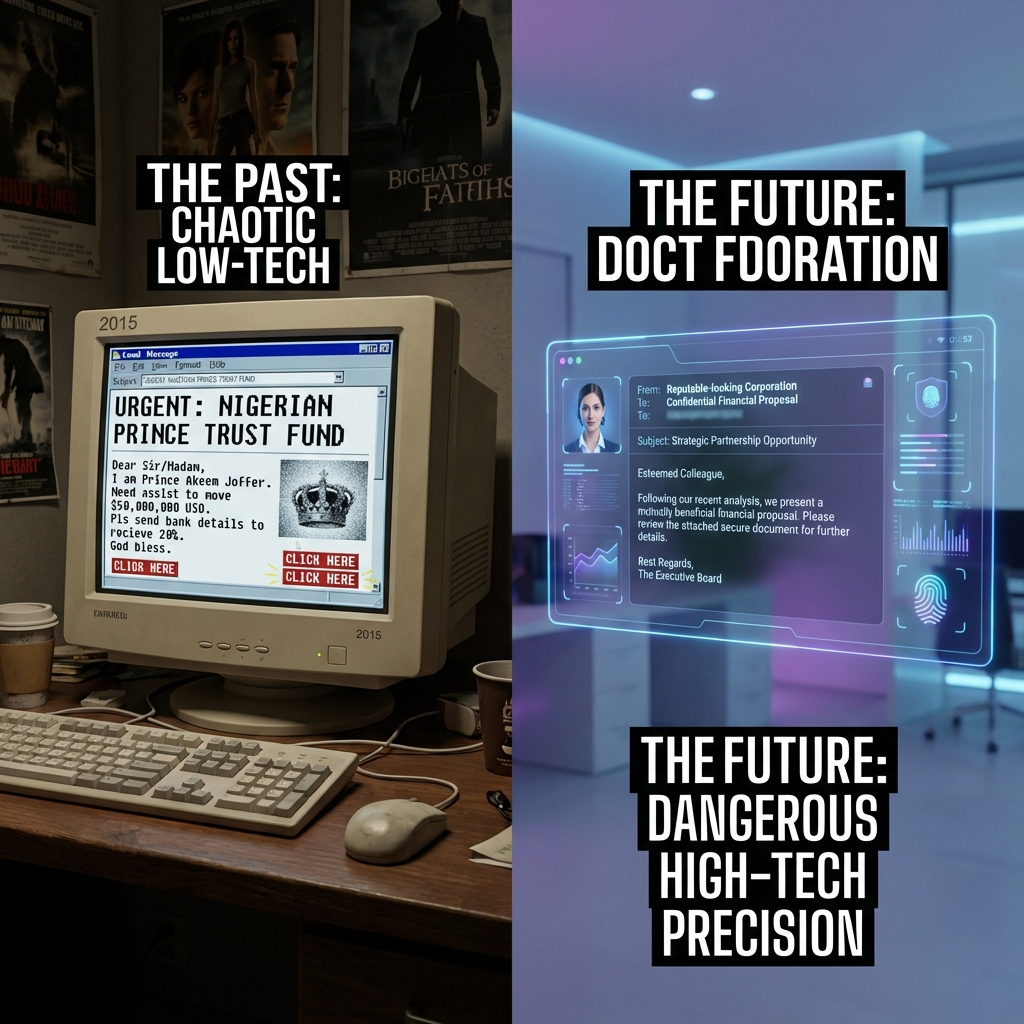
If you still train your employees to "look for spelling mistakes" to spot a phishing email, you are essentially sending soldiers into modern warfare equipped with muskets. You are training them for 2015.
In the last decade, phishing has transformed from a spray-and-pray nuisance into a precision-guided weapon. The grammar errors are gone. The logos are perfect. The tone is terrifyingly familiar.
In 2026, we are witnessing the Third Era of Phishing: The Age of AI Precision.
This comprehensive visual guide tracks the evolution of the world's most common cyber attack, showing you exactly what has changed over the last 11 years—and why your old defenses are effectively useless against today's threats.
Era 1: The "Prince" & The Typos (2015-2018)
The Objective: Mass Numbers
Ten years ago, phishing was a volume game. Attackers sent 10 million emails hoping for 10 clicks. The cost of sending an email was virtually zero, so "quality control" was non-existent.
The Anatomy of an Era 1 Attack
- The Subject Line: screamed urgency, often in ALL CAPS. "URGENT ! YOU HAVE WON $1,000,000 !!" or "VITAL NOTICE FROM BANK".
- The Sender: A complete mismatch. You would receive an email claiming to be from "Bank of America" sent from
x8392ns@random-domain.com. - The Visuals: Low-resolution, pixelated logos copied from Google Images, often stretched out of proportion.
- The Content: Riddled with grammatical errors. "Dear Beloved Customer, We has detected problem with account."
Why It Worked (Then)
Despite the obvious flaws, these attacks worked because digital literacy was lower. People were naive to digital threats. The novelty of "winning a prize" or the fear of "account closure" was enough to bypass critical thinking for a small percentage of the population.
Why It Fails (Now)
Today, even the most basic spam filters catch 99.9% of these emails instantly. Modern email gateways (like Microsoft Defender or Google Workspace Enterprise) use basic keyword filtering and sender reputation checks to obliterate these threats before they reach the inbox.
Era 2: The "Credential Harvester" (2019-2022)
The Objective: Account Theft
As spam filters improved, attackers shifted tactics. Instead of asking for money directly, they wanted your credentials. Access to a corporate Microsoft 365 or Google Workspace account was worth far more than a quick $500 scam.
The Tactics Shift
Attackers began cloning login pages. They used tools like Evilginx to create perfect replicas of Microsoft login screens.
- HTML Cloning: Attackers scraped the exact HTML and CSS of legitimate sites.
- Spoofed Domains: Instead of random domains, they bought domains that looked real to the naked eye.
- Real:
microsoft.com - Fake:
microsoft-security-update.comorrnicrosoft.com(using 'rn' to look like 'm').
- Real:
The "Tell" Was the URL
The content of these emails became cleaner. "Action Required: Your Password Expires in 24 Hours" became the standard hook. The logos were crisp SVG files.
However, the weakness remained in the URL. Security training in this era focused heavily on "Hover and Check."
"If you hover over the link and it goes to
www.hackers-site.com/login, don't click it!"
This advice worked for about three years. But then, the attackers adopted automation.
Era 3: The AI Precision Age (2023-2026)
The Objective: Business Email Compromise (BEC)
This is where we are today. The era of "links" is fading. We are now in the era of Conversation.
In 2026, attackers use Generative AI (LLMs) to automate reconnaissance. Tools like WormGPT or FraudGPT can scan a target's LinkedIn profile, read their recent posts, analyze their writing style, and craft a hyper-personalized message.
The Attack: The "2026 CEO Fraud"
Let's dissect a modern attack email that bypassed a Fortune 500 company's defenses last month.
From:
John.Doe@yourcompany.com(Actually an internal compromised account) To:Sarah Jenkins, Chief Financial OfficerSubject: Invoice #2938 - Project Alpha (Overdue)"Hi Sarah,
Usually I'd handle this vendor login myself, but I'm stuck in the boardroom with the client right now. Can you push this payment through before 2 PM? They're holding the shipment for Phase 2, and I don't want to delay the launch.
Thanks, John"
Why This is Terrifying (The Analysis)
- Perfect Context: The email mentions "Project Alpha" and "Phase 2". The AI learned this by scraping the company's public press releases or by reading previous stolen emails from the compromised account.
- Perfect Tone: It sounds exactly like "John". It uses his casual greeting ("Hi Sarah") rather than a formal generic one.
- No Malicious Payload: There is no virus. There is no malicious link. There is no attachment.
- Legacy security tools look for signatures (bad code).
- This email is just text. It is a social engineering attack, not a technical exploit.
- To a firewall, this looks like a legitimate conversation between colleagues.
The Rise of "Quishing" (QR Code Phishing)
Another hallmark of the 2025-2026 era is the weaponization of QR codes. Attackers embed a QR code in a PDF attachment labeled "New 2FA Setup Guide".
- The Trap: Security filters scan text and links. They (often) cannot "read" the image of a QR code.
- The Bypass: The user scans the code with their personal phone (which has no corporate security software).
- The Result: The user enters their corporate credentials on a phishing site loaded on their personal device, completely bypassing the corporate firewall.
How to Defend Against Era 3 Threats
Since you cannot rely on typos, bad grammar, or obvious URL mismatches, your defense strategy must evolve from "Inspection" to "Process".
1. The "Out of Band" Verification Rule
This is the single most effective defense against BEC. Rule: If a request involves money or sensitive data, you must verify it via a different communication channel.
- If the request comes via Email -> Verify via SMS, Slack, or a Phone Call.
- If the request comes via SMS -> Verify via a Phone Call or video chat.
Never authorize a wire transfer based on email instructions alone.
2. DMARC, SPF, and DKIM are Mandatory
In 2026, if your domain does not have DMARC set to Reject, you are negligent.
These protocols ensure that no one can send an email as your domain (@yourcompany.com) from an unauthorized server. It stops attackers from direct spoofing.
3. AI vs. AI Defense
You cannot fight AI attacks with human manual review. You need AI defense. Modern email security platforms (like Ironscales, Abnormal Security, or Darktrace) rely on Behavioral Analysis & Natural Language Understanding (NLU).
- They don't look for "bad links".
- They analyze relationships: "Does John usually email Sarah at 2 PM? Does John usually ask for wire transfers? Is the tone 'urgency' consistent with John's baseline?"
- If the AI detects a deviation in behavior, it flags the email, even if the text looks perfect.
4. Browser Isolation
Assume users will click. Browser Isolation technology executes all email links in a virtual container in the cloud.
- If the user clicks a malicious link, the malware executes in the remote container, not on the user's laptop.
- The user sees a "video stream" of the website, keeping them 100% safe from drive-by downloads.
Is Your Team Ready?
The gap between "Security Awareness Training" and "Real World Attacks" has never been wider. Showing your employees slides about "Nigerian Princes" in 2026 is a waste of time.
At Cyberlord, we offer advanced Phishing Simulation Services. We don't just send generic templates. We use 2026-level AI tactics to simulate Spear Phishing and BEC campaigns against your team.
We test your employees safely, so a real attacker doesn't test them destructively.
Contact us today to schedule a baseline phishing assessment. Find out who in your organization is prone to the click—before it costs you millions.
phishing evolution visual guide 2015 2026 guide overview
Key decisions, risks, and implementation actions for phishing evolution visual guide 2015 2026 guide.