What Is VDI in Cyber Security? Risks, Controls, and Best Practices
Cyberlord Security Team Author profile
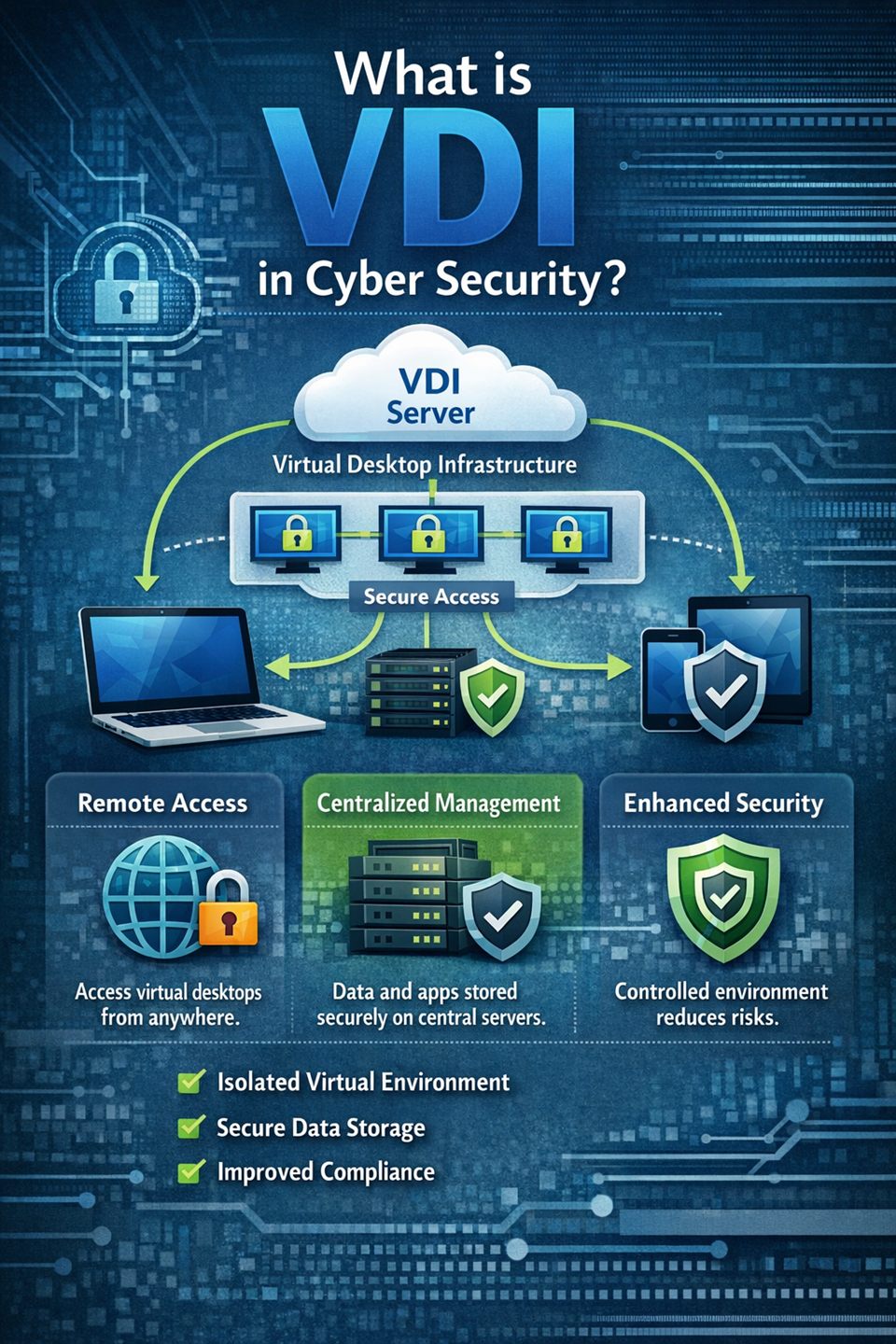
Remote work, contractor access, and hybrid teams changed endpoint security faster than many organizations expected. Security teams used to focus on locking down every laptop and office workstation. Today, the bigger challenge is controlling access from many devices, locations, and users without slowing down business operations.
That is why a lot of leaders are now asking the same question: what is vdi in cyber security and is it worth implementing? The short answer is that Virtual Desktop Infrastructure can reduce some high-impact risks, but only if it is designed as a full security system instead of a quick infrastructure project.
This guide explains VDI in clear terms, shows where it improves security, breaks down the most common failure points, and gives you a practical hardening checklist you can use for planning and audits.
What VDI Means in Cyber Security
Virtual Desktop Infrastructure (VDI) is a model where user desktops are hosted in centralized data center or cloud infrastructure instead of running fully on local endpoint devices. Users connect to virtual desktops through a broker or gateway, and most business workloads stay in controlled environments.
If you are researching what is vdi in cyber security, think of it as a trust-boundary shift. Data and applications move closer to security controls, while endpoints become controlled access points rather than primary data stores.
In traditional desktop setups, sensitive files and credentials often spread across many laptops. In VDI environments, teams can keep critical assets centralized, which makes policy enforcement and visibility more consistent.
Core security advantages include:
- Reduced local data exposure on endpoints
- Faster patch deployment through managed base images
- Easier offboarding and session revocation
- Stronger centralized logging for investigations
- Better policy consistency across distributed users
These benefits are meaningful, but VDI does not solve weak identity, weak architecture, or weak operations. It changes risk concentration and gives teams better control surfaces.
Why Security Teams Use VDI in Real Environments
Organizations adopt VDI for operational reasons, but cyber security teams often become the strongest internal advocates once the model is implemented correctly.
First, VDI reduces data sprawl. When sensitive files remain inside controlled environments, lost laptops and unmanaged personal devices have less direct access to high-value data. This matters for regulated teams that must demonstrate technical controls during audits.
Second, VDI can improve baseline hygiene. Instead of managing thousands of unique desktop states, teams can standardize image templates and reduce configuration drift. That helps reduce exposure windows after high-severity vulnerability disclosures.
Third, VDI supports cleaner incident response workflows. Telemetry from gateways, identity systems, brokers, and centralized hosts can make it easier to reconstruct attacker activity. Security analysts can trace suspicious sessions and privilege changes with fewer blind spots.
Fourth, VDI helps with third-party access. Contractors, temporary workers, and external support teams can be isolated in controlled environments instead of connecting directly from unknown endpoint conditions. This is even stronger when paired with a strict employee offboarding security checklist.
For many businesses, this combination of control, visibility, and operational consistency is the real reason VDI remains a strong security architecture option.
Top Security Risks in VDI Deployments
The most common VDI failures are not caused by virtualization technology itself. They are usually caused by design shortcuts and weak governance.
1. Identity and session control gaps
Most impactful incidents begin with stolen credentials, token abuse, or weak MFA policies. If privileged and non-privileged access are not separated, attackers can move quickly after account compromise. If you need early warning signals, review these top signs a company may be compromised.
2. Weak golden image governance
A vulnerable base image scales risk. If insecure defaults, unnecessary services, or outdated software exist in a golden image, every new virtual desktop can inherit those weaknesses.
3. Flat network architecture
Without strict segmentation, attackers can pivot from user sessions to management infrastructure, directory services, or sensitive internal systems.
4. Incomplete telemetry
Teams often monitor endpoint events but miss broker, gateway, and IAM logs. That creates blind spots that increase dwell time and delay containment.
5. Data transfer and clipboard misuse
If file redirection, clipboard controls, or local drive mapping policies are not tuned by risk level, sensitive information can leave controlled environments.
These risks are manageable, but only when ownership is clear across security, identity, infrastructure, and operations teams.
Practical VDI Hardening Checklist
Use this as a starting baseline, then adapt it by risk tier and compliance requirements.
Identity and access
- Enforce phishing-resistant MFA for all remote and privileged access
- Apply conditional access policies (device posture, geo, risk signals)
- Separate admin accounts from standard user accounts
- Use least privilege and periodic entitlement reviews
- Protect service accounts and secrets in a managed vault
Image lifecycle and patching
- Build hardened base images aligned to recognized benchmarks
- Remove unnecessary packages and services
- Patch and republish images on a fixed cadence
- Scan images for vulnerabilities before production release
- Keep rollback-ready version history for incident recovery
Network and architecture
- Isolate control plane from user workload segments
- Restrict east-west traffic between desktop pools
- Protect remote access gateways with strict policy and rate control
- Enforce egress filtering to reduce command-and-control exposure
- Segment access to crown-jewel applications behind policy gates
- Validate isolation controls through regular penetration testing
Data protection and endpoint control
- Limit clipboard and file transfer based on data classification
- Restrict local device redirection unless business-justified
- Encrypt traffic and storage paths
- Apply DLP controls for uploads, downloads, and external sharing
- Define retention and deletion policies for profiles and artifacts
Monitoring and response
- Centralize logs from brokers, gateways, IAM, and workloads
- Build alerts for impossible travel, brute force, and privilege changes
- Track unusual session duration and off-hours access patterns
- Test incident response runbooks for VDI account compromise
- Run tabletop exercises with IT and security operations teams
A checklist is only useful when tied to measurable outcomes, so track policy coverage, patch SLA, and mean time to detect and contain session abuse.
VDI vs DaaS vs Traditional Endpoints
Many teams evaluating VDI also compare Desktop as a Service (DaaS) and conventional endpoint models.
VDI often provides deeper control and customization, which is useful for organizations with strong internal engineering and strict compliance demands. It can deliver high policy precision, but it also requires mature operations and architecture discipline. For compliance planning, this SOC 2 vs ISO 27001 guide helps frame control expectations.
DaaS can speed deployment and reduce operational overhead. However, teams still need strong shared-responsibility governance. Identity, access policy, data handling, and detection workflows remain your responsibility even when platform operations are managed by a provider.
Traditional endpoint models are familiar and flexible but often struggle with control consistency in highly distributed workforces. Data sprawl, delayed patching, and uneven endpoint posture are common concerns.
In practice, many organizations adopt a hybrid strategy:
- Use VDI or DaaS for high-risk user groups and sensitive workflows
- Keep managed physical endpoints for lower-risk roles
- Centralize identity and telemetry standards across all access models
This approach can balance user experience, security controls, and operating cost.
90-Day VDI Security Rollout Plan
If you are moving from evaluation to implementation, this timeline helps teams execute with fewer surprises.
Days 1 to 30: Architecture and policy foundation
- Define user groups by risk and access profile
- Set MFA, conditional access, and session timeout standards
- Create hardened image baseline and approval workflow
- Define mandatory logging sources and SIEM mapping
Days 31 to 60: Controlled pilot
- Launch a pilot with one internal team and one contractor group
- Measure login stability, support friction, and policy exceptions
- Conduct adversarial testing on segmentation and IAM policy, including red team vs blue team vs purple team exercises
- Refine incident response playbooks based on pilot findings
Days 61 to 90: Scale with governance
- Expand rollout to additional business units
- Automate image maintenance and policy validation checks
- Track KPIs such as MFA coverage, patch compliance, and suspicious sessions
- Prepare audit-ready evidence for control implementation
This phased rollout reduces deployment risk while giving leadership a clear path to measurable control maturity.
Conclusion: Treat VDI as a Security Program, Not a Feature
VDI can significantly improve control, visibility, and resilience when it is designed around identity, segmentation, hardening, and monitoring from the start. If your team came here asking what is vdi in cyber security, the key takeaway is simple: VDI is a strong security architecture option, but only when operated with disciplined governance.
Start with a risk-based baseline, pilot with measurable goals, and scale through repeatable controls. If you want expert support, Cyberlord can help you assess your current endpoint model, design a secure VDI architecture, and build an implementation plan your team can maintain.
Contact Cyberlord to schedule a VDI security assessment.
Related Reading
- Ransomware-as-a-Service and SMB risk trends
- State of Cybersecurity 2026 statistics
- Penetration testing cost guide
FAQs
What is VDI in cyber security in one sentence?
VDI in cyber security is a desktop model where workloads run in centralized infrastructure, so organizations reduce endpoint data exposure and apply stronger access controls.
Is VDI always more secure than physical desktops?
VDI can be more secure when identity controls, segmentation, hardened images, and monitoring are implemented correctly, but weak design can still create serious security gaps.
What are the most common VDI security mistakes?
The most common mistakes are weak MFA enforcement, flat network design, poorly maintained golden images, and incomplete logging from brokers, gateways, and identity systems.